Luttaka Web walkthrough
01
Tonik

How to use Luttaka Web

A guided Luttaka Web tour using Tonik 2026 as the example event.

Tickets Programme People Meetings Profile
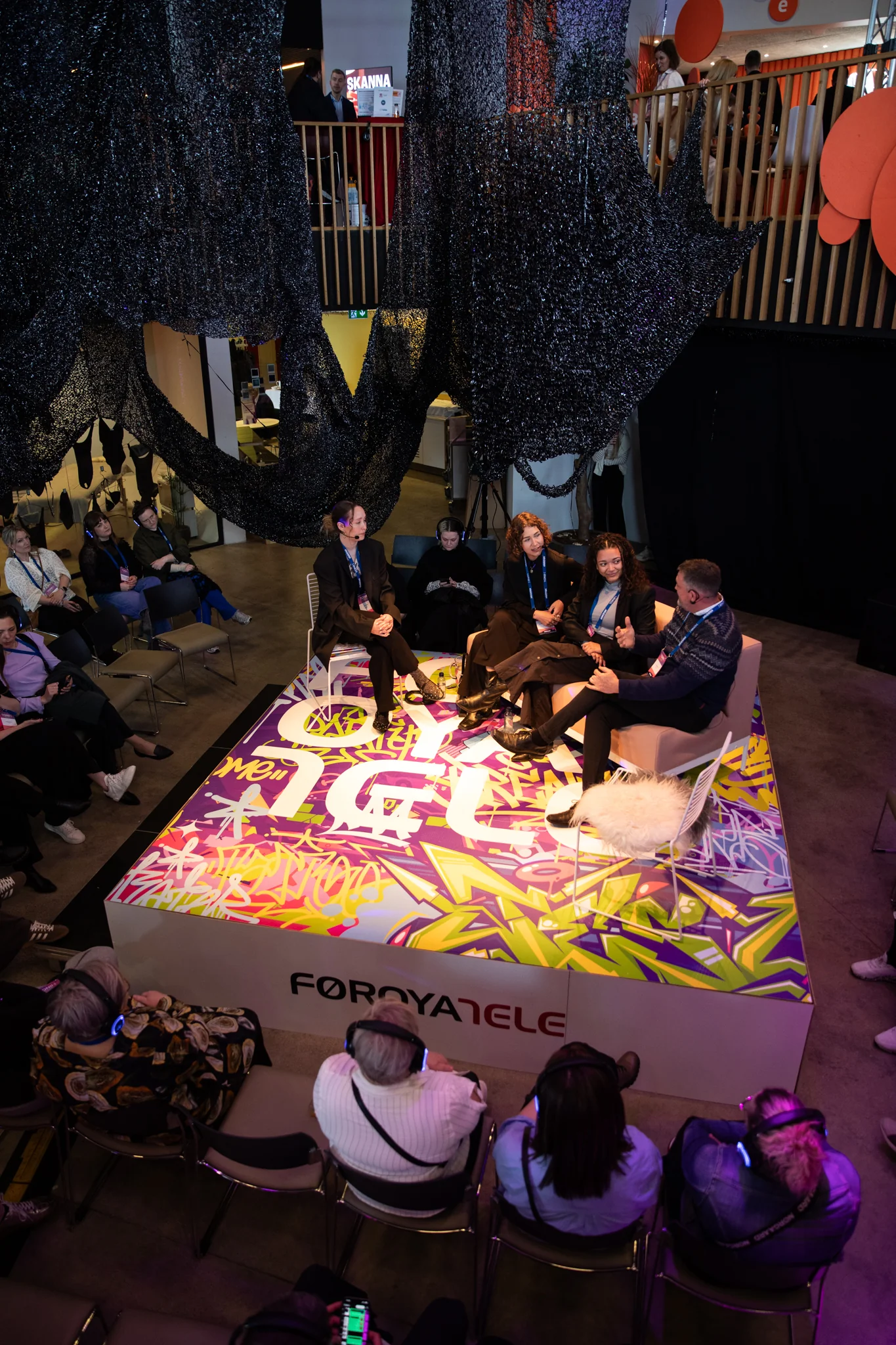
Tonik event atmosphere
Privacy note
Names, emails, and social links shown here are synthetic or hidden.
The participant surface
02

One signed-in place for the event journey

1

Open event

Find Tonik 2026 and enter the participant workspace.

2

Use ticket

Show badge, QR, and managed extra tickets.

3

Plan days

Build a personal schedule from programme and side events.

4

Discover

Browse speakers, sessions, and event information.

5

Network

Complete profile, browse people, and request meetings.

6

Stay updated

Track notifications, requests, and settings.

For organizers, this is the attendee experience your event configuration creates.
Big idea
Luttaka Web turns event data into usable participant action.
Home
03

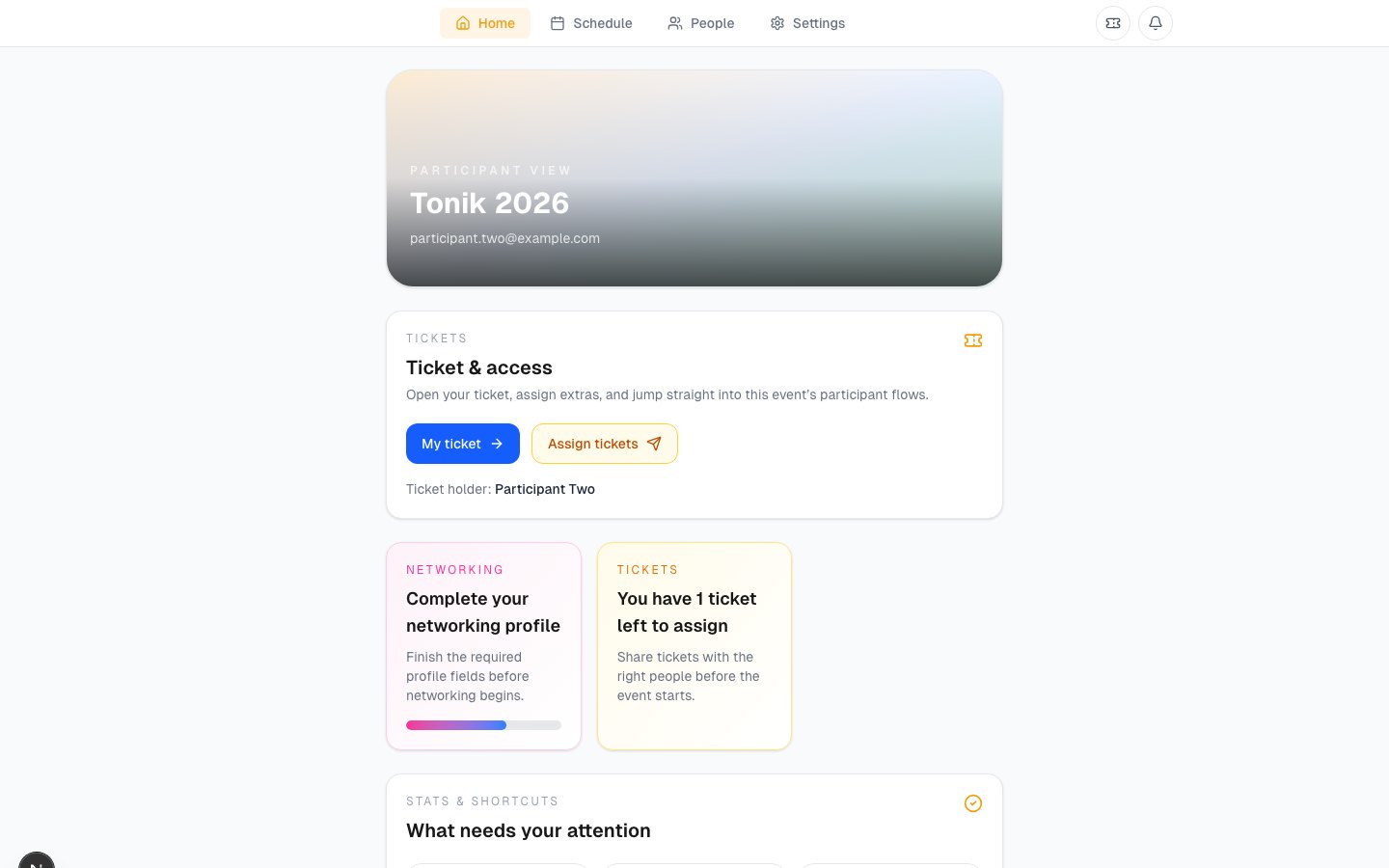
The home view answers: what should I do next?

Luttaka Web home for Tonik 2026
What participants get
  • A quick route into tickets, meetings, People, and the event programme.
  • Warnings when profile or ticket assignment needs attention.
  • Event-specific context instead of a generic account dashboard.
Organizer value
The home page gently pushes participants to complete operationally important tasks.
Discover
04

Discover is the participant’s event hub

Tonik 2026 example
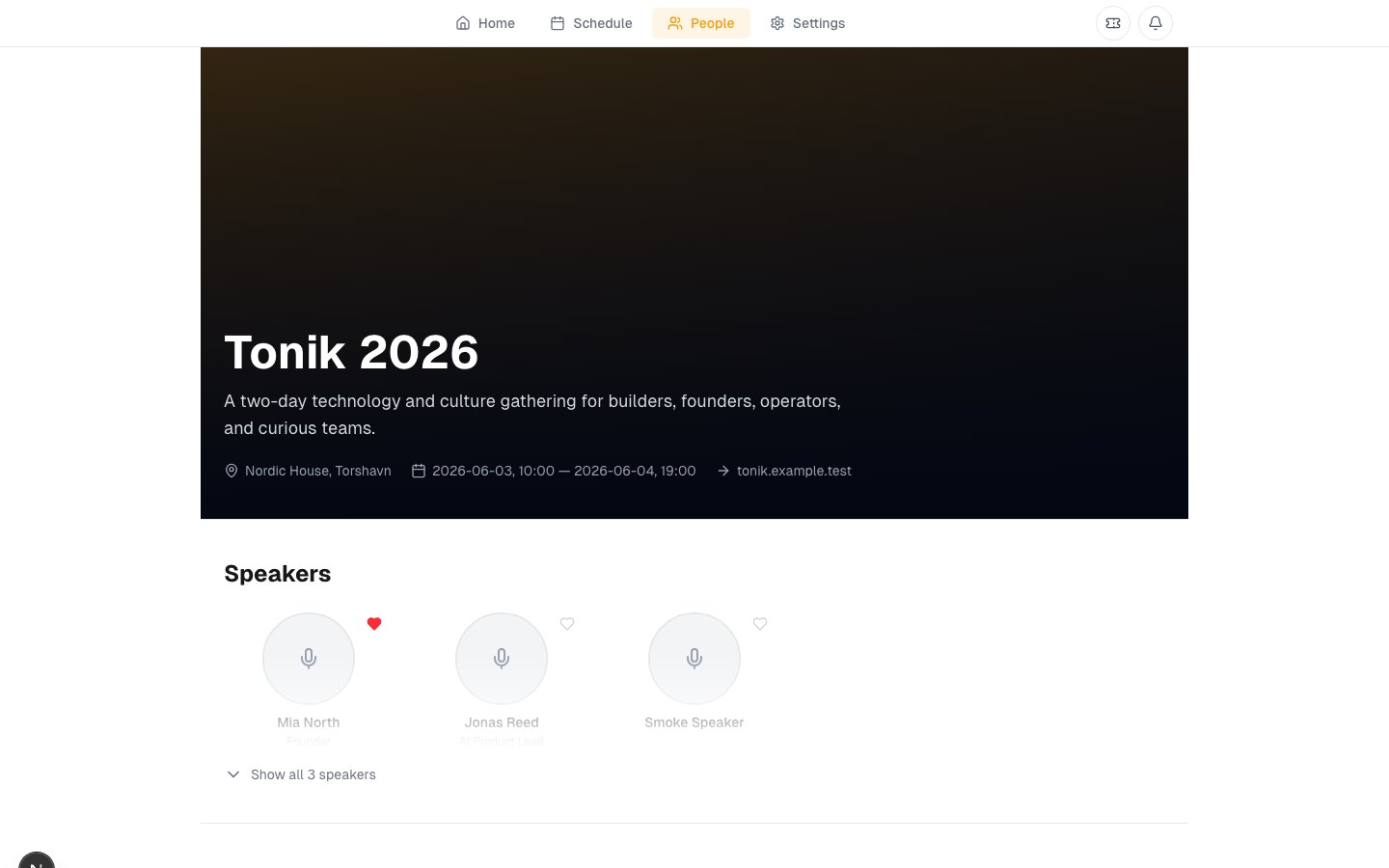
  • Programme sessions with times, types, speakers, and save buttons.
  • Side events with access labels such as public, invite-only, or ticket-required.
  • Speaker cards that open deeper speaker pages.
Luttaka Discover page for Tonik 2026
Practical meaning
Discover gives the event a navigable shape before and during attendance.
Tickets
05

My Tickets is the access and assignment center

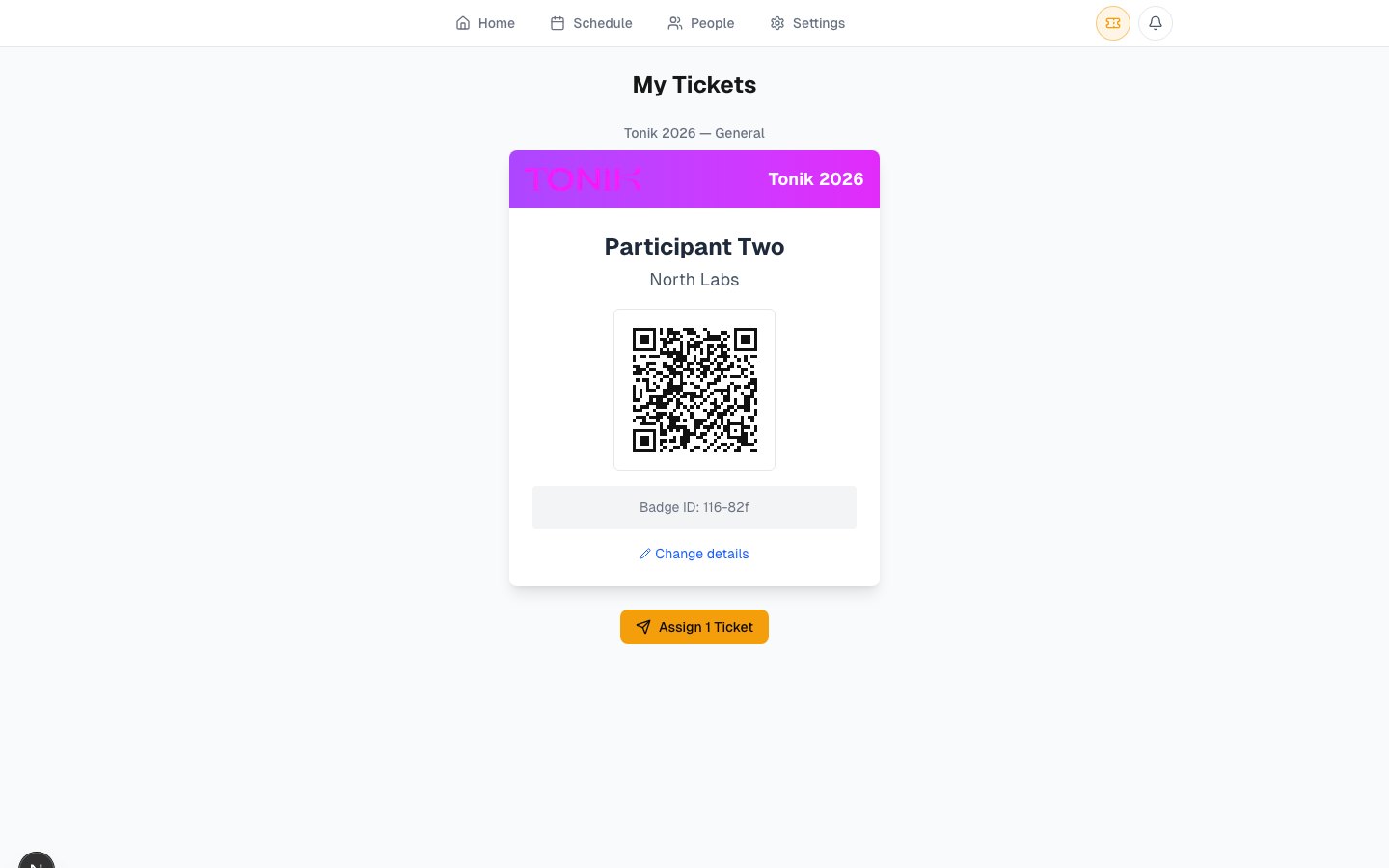
Luttaka My Tickets page with Tonik 2026 ticket controls
Capabilities
  • Show a badge and QR for check-in.
  • See the tickets that belong to the signed-in participant.
  • Assign or reassign extra tickets to the real attendees.
  • Redeem ticket codes and recover tickets linked by email.
Organizer value
Bulk buyers can distribute tickets without the organizer becoming the help desk.
Schedule
06

Participants can turn the programme into their own day plan

My Schedule

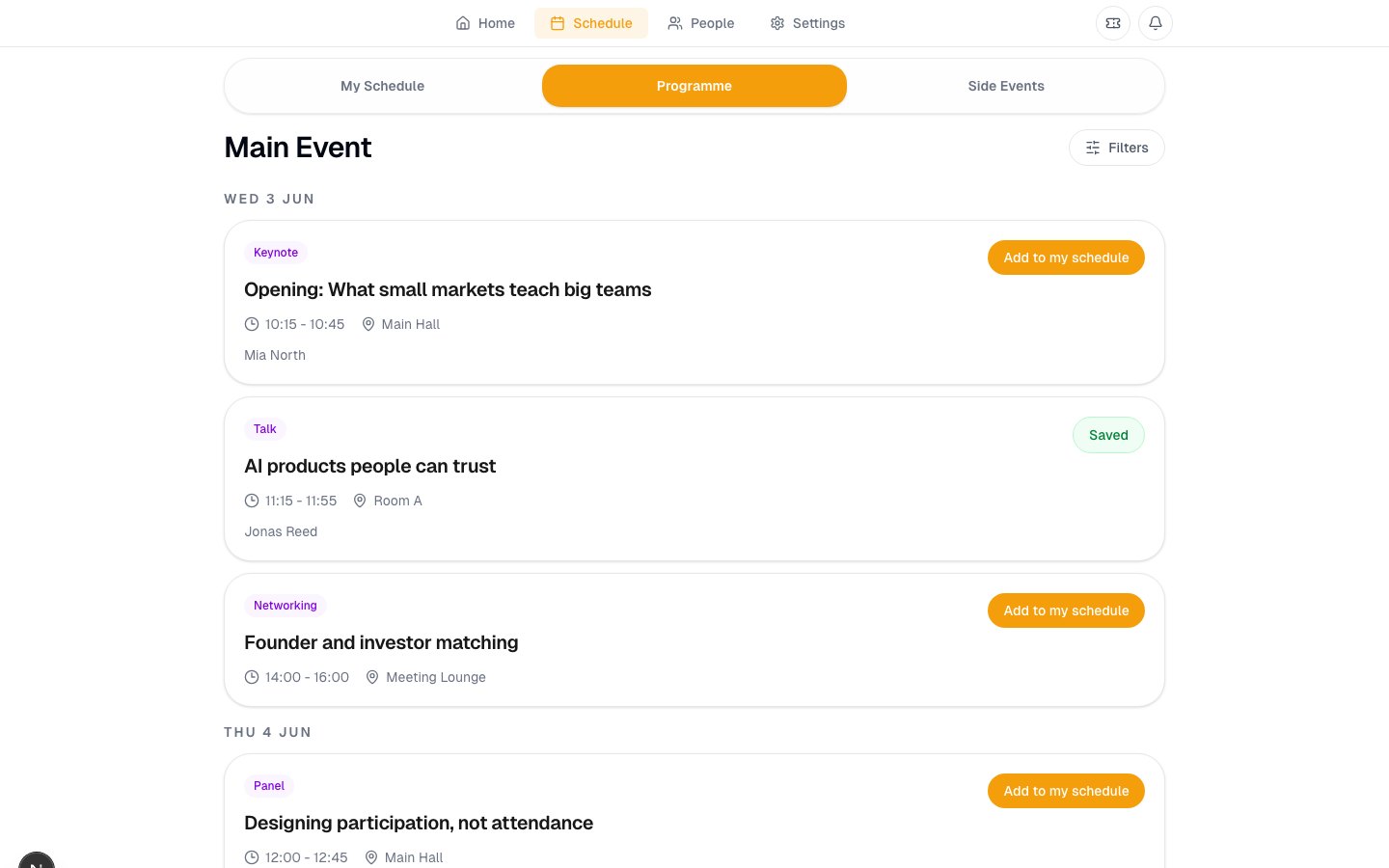
Saved sessions, personal blocks, and notes grouped by day.

+

Programme

Search and filter official sessions by day, type, speaker, or topic.

Side events

Jump from the main event to receptions, workshops, runs, and partner activities.

Luttaka schedule page showing saved sessions and personal agenda items
Participant value
The programme becomes something personal, not just a static list.
Speakers and favorites
07

Speaker discovery connects people to sessions

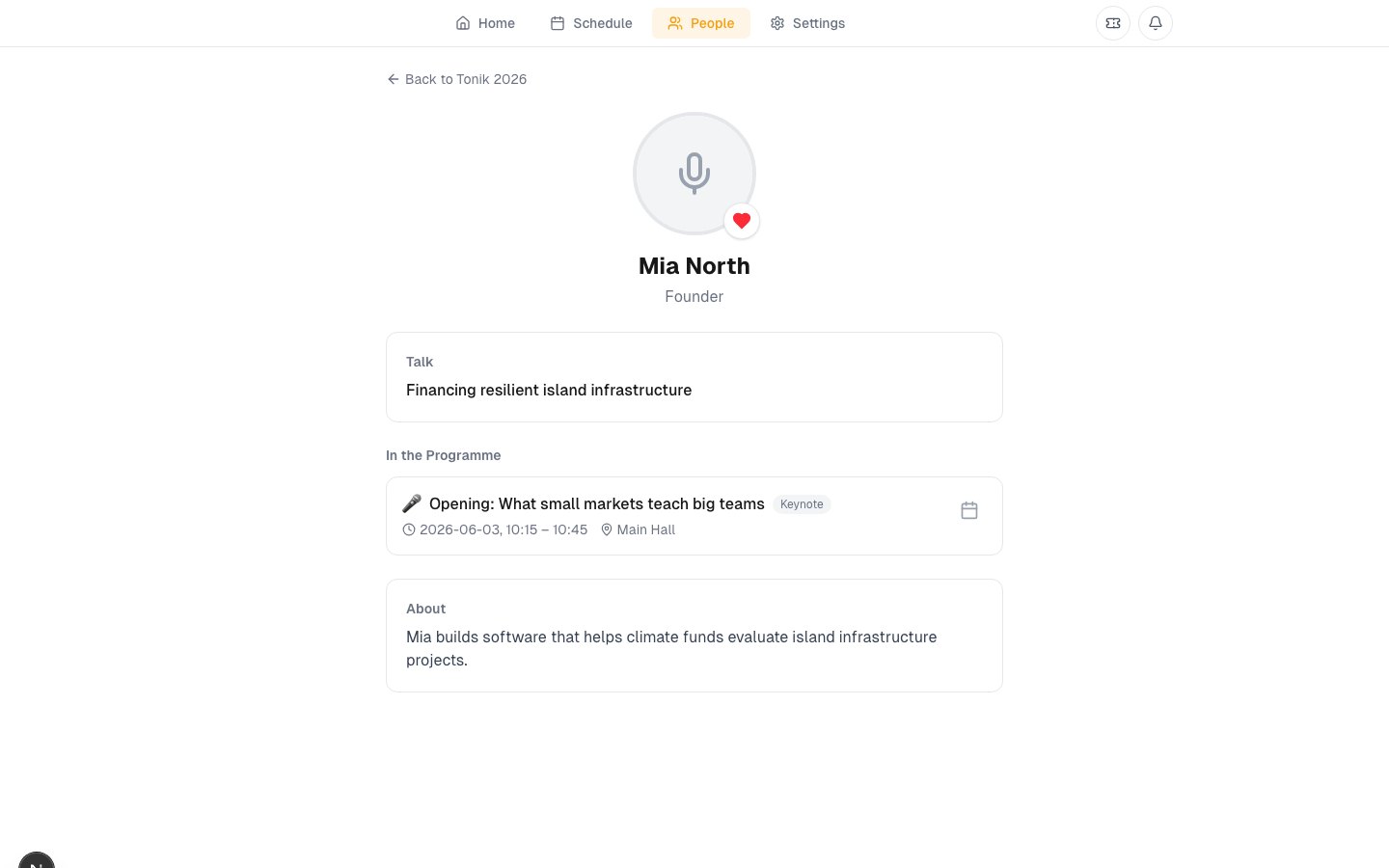
Luttaka speaker detail page connected to programme sessions
What participants can do
  • Open speaker detail pages with bio, organization, and talks.
  • Add relevant speaker sessions to My Schedule.
  • Favorite speakers or participants for later follow-up.
  • Move from a person to their programme sessions and back again.
Organizer value
Content, speakers, and participant intent become connected instead of scattered.
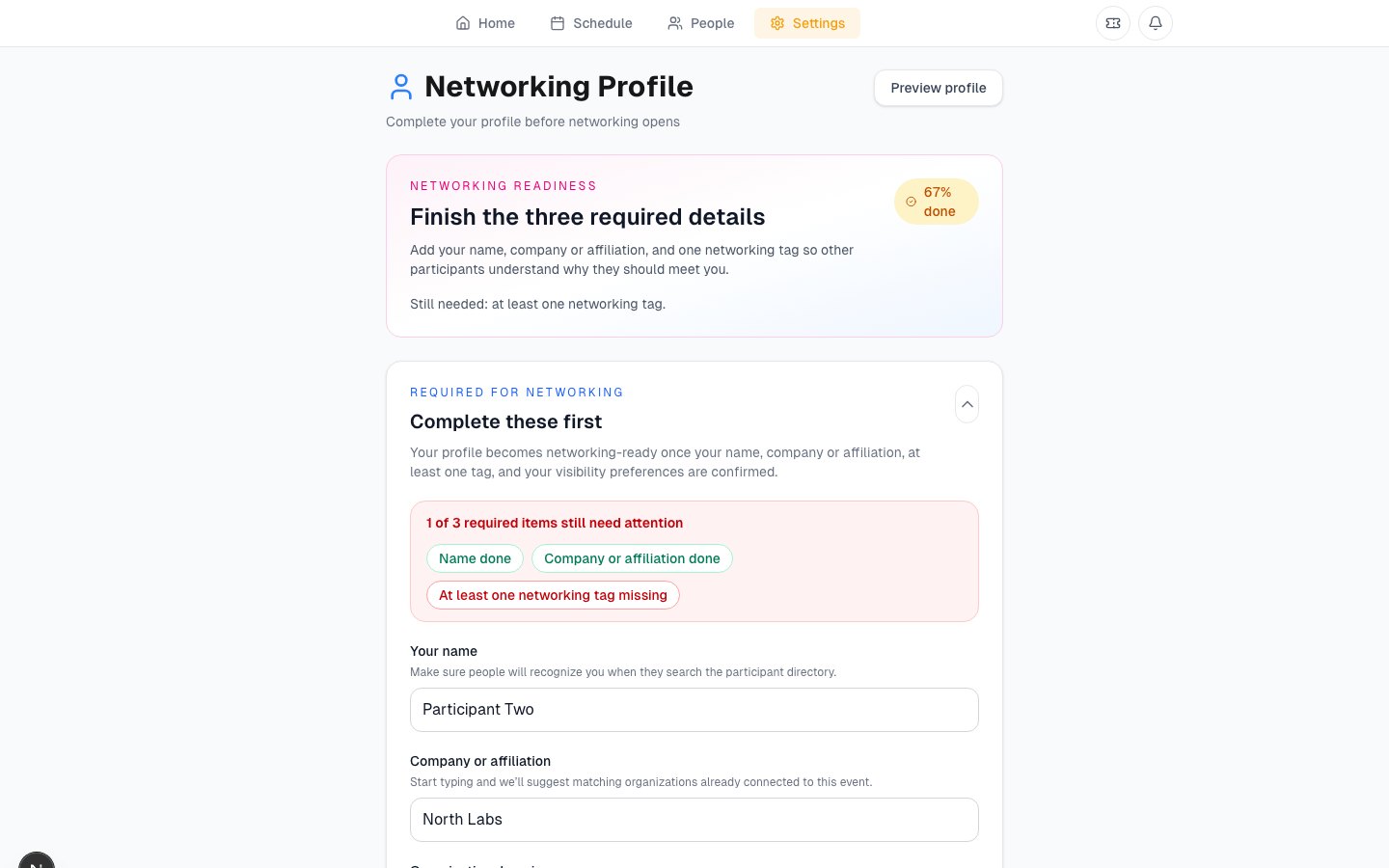
Profile
08

The networking profile controls discoverability

Luttaka networking profile editor with visibility controls
Profile fields
  • Name, company or affiliation, headline, bio, and photo.
  • Networking tags that describe interests and meeting intent.
  • Visibility controls for directory presence, contact fields, and meeting requests.
  • A preview so participants understand what others will see.
Participants decide what to reveal. Organizers get a healthier directory when profiles are complete.
Privacy posture
Luttaka Web separates profile richness from automatic contact disclosure.
People
09

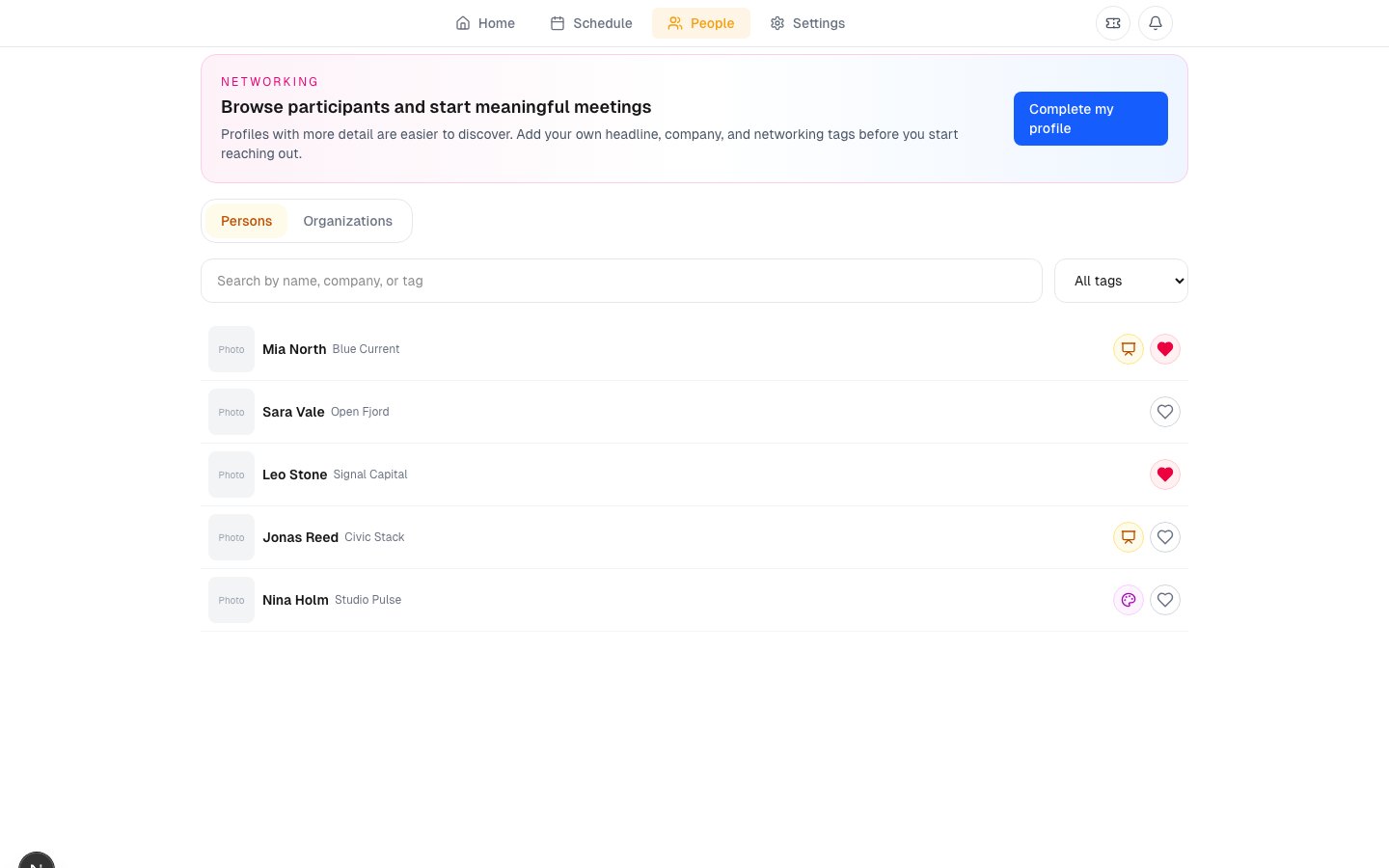
The People section turns attendance into networking

Luttaka People directory showing Tonik 2026 participants and meeting actions
Directory capabilities
  • Search participants by visible profile content.
  • Filter by networking tags and interests.
  • Favorite people for later.
  • Request a meeting when both sides allow it.
  • Connect speakers to talks where the programme data matches.
Organizer value
The participant directory makes curated networking possible without exposing hidden contact details.
Meetings
10

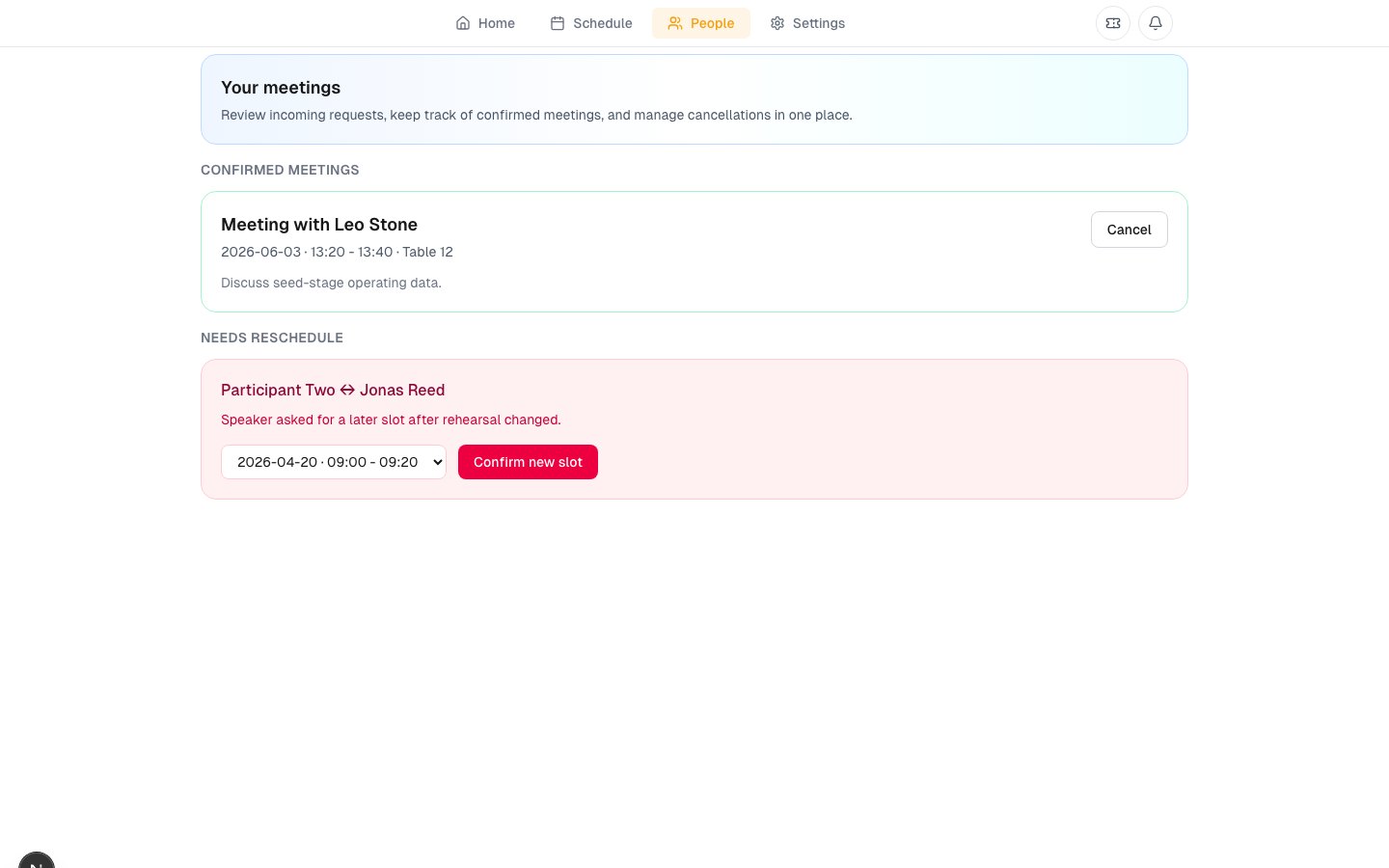
Participants can request and manage meetings

Meeting lifecycle
  • Choose a participant and propose preferred slots.
  • The recipient can accept, decline, or request a different slot.
  • Accepted meetings show a confirmed time and table when inventory is available.
  • Both sides can cancel if plans change.
Luttaka participant meetings page with confirmed and reschedule-needed meetings
Operational effect
Meeting requests, table inventory, and participant intent share one flow.
Notifications
11

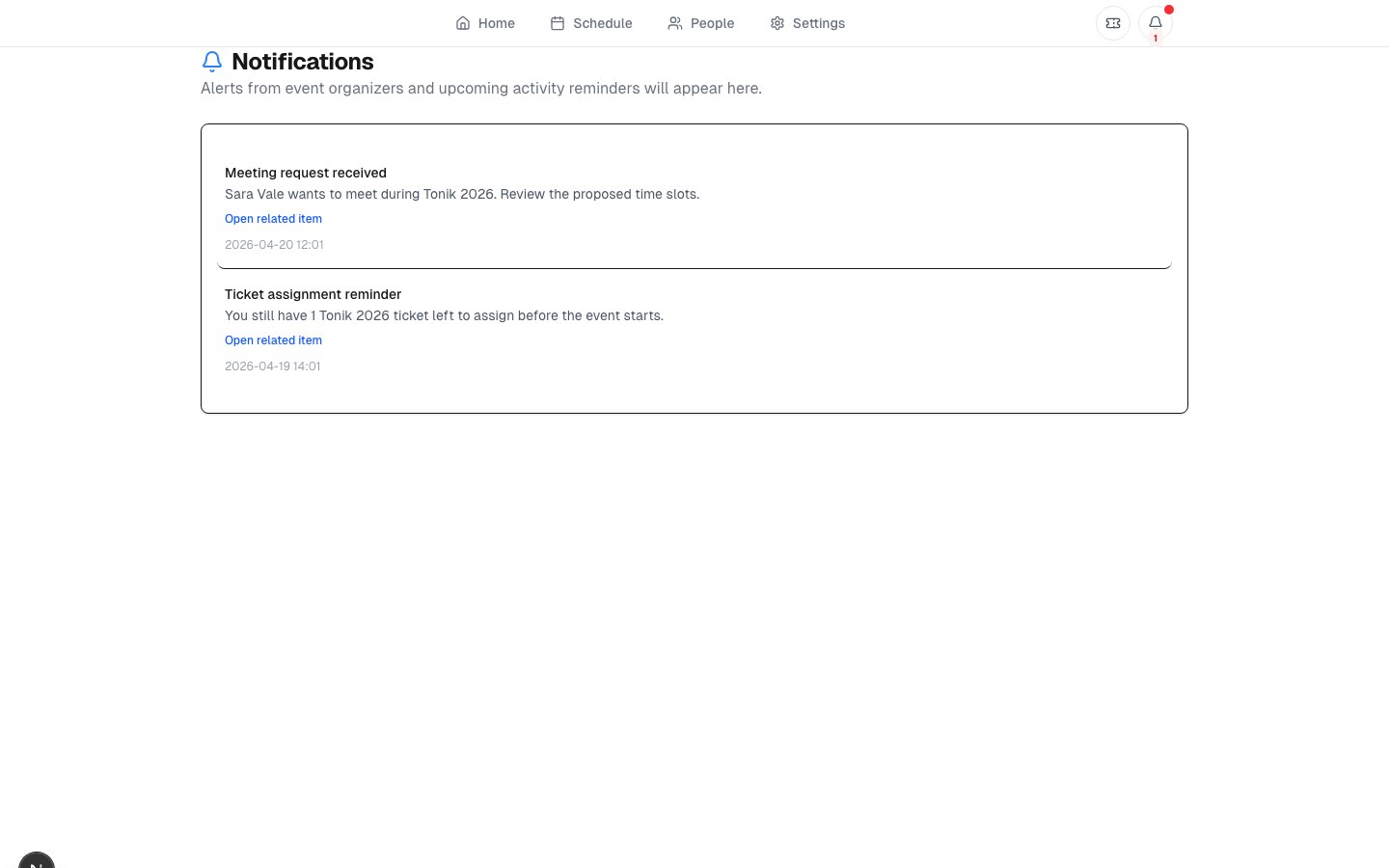
Notifications keep participant work from getting lost

!

Ticket actions

Transfer invites and ticket-related links can route participants to the right place.

?

Meeting actions

Incoming, accepted, cancelled, or reschedule-needed meetings can be reviewed.

Deep links

Notifications point into tickets, People, meetings, or event context.

Luttaka participant notifications page with meeting and ticket reminders
Organizer value
Fewer dropped handoffs between ticket assignment, networking, and meeting logistics.
Settings
12

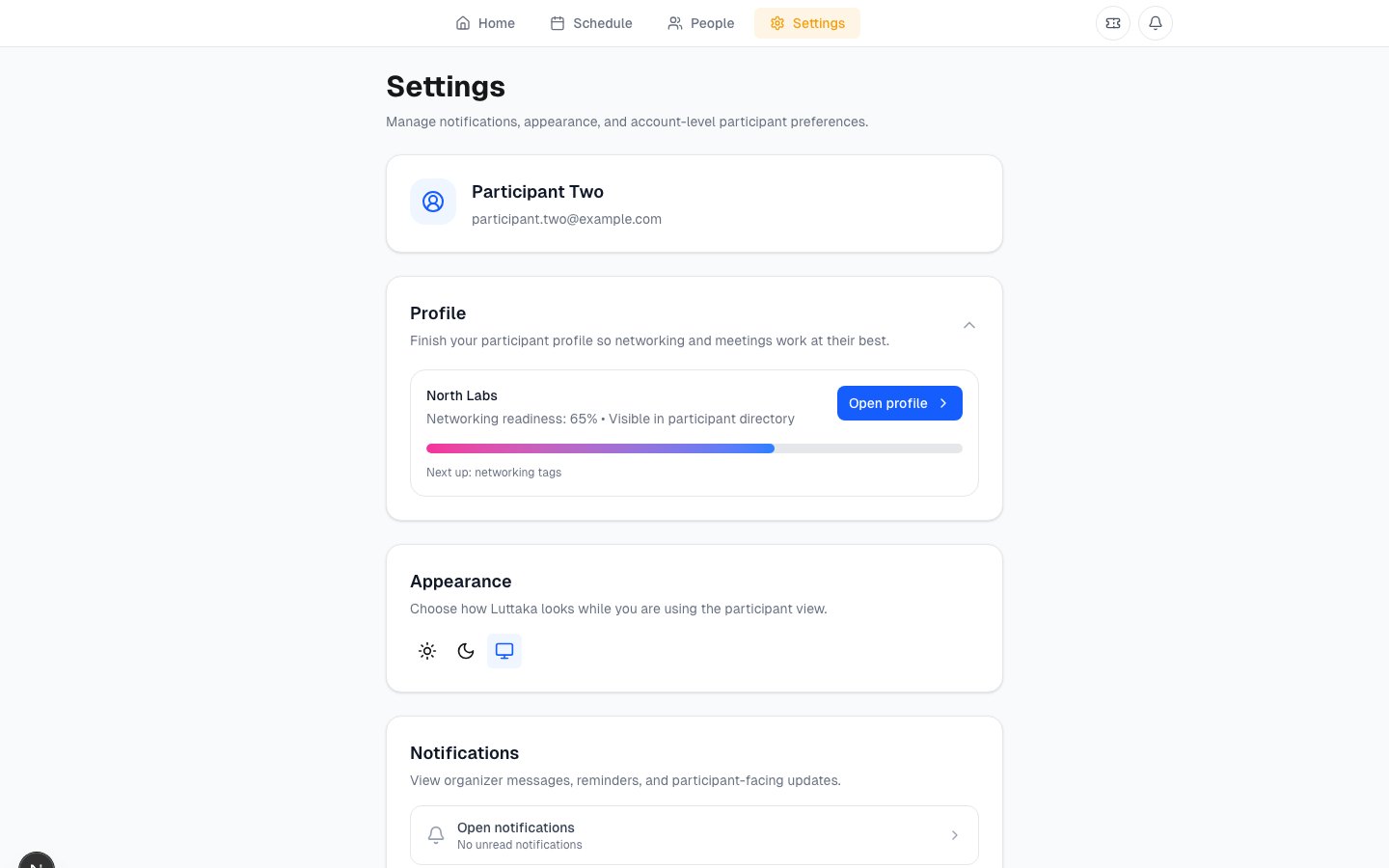
Participants also need control surfaces

ID

Account

Signed-in identity anchors tickets, profile, and meetings.

Eye

Visibility

Directory and contact choices belong to the participant.

Bell

Updates

Notification and event links bring participants back to context.

Exit

Session

Participants can move between Luttaka Web and other Luttaka surfaces.

Luttaka participant settings page with account controls
Participant value
Account controls make Luttaka Web feel like their own event workspace.
Organizer lens
13

What organizers should understand about Luttaka Web

Your configuration becomes their experience
  • Ticket orders and assignments decide who sees tickets.
  • Programme, speakers, and side events decide what participants can discover.
  • Networking settings decide whether profiles, directory, and meetings are useful.
  • Meeting inventory decides which accepted requests can get practical slots and tables.
Recommended organizer checklist
  • Sign in as a test participant before launch.
  • Confirm ticket, QR, and assignment flows.
  • Save sessions and verify the schedule experience.
  • Complete a sample profile and request a meeting.
  • Check that no private person data appears where it should not.
Best test
Walk through the event like an attendee before attendees arrive.
Summary
14

Luttaka Web is where the event becomes usable

Access

Tickets, QR, managed extras, and redemption.

Attention

Programme, schedule, speakers, side events, and notifications.

Connection

Profile, People, favorites, and meetings.

For participants: one place to act. For organizers: one place to verify the attendee journey.
1 / 14